Policy-based Micro-segmentation on pfSense
Sometimes we want to play with things without risking our entire setup. Micro-segmentation reduces the blast radius. But I struggled to find a spolution that made policy-first segmentation straightforward across wired devices, Wi-Fi, and VMs. I went with pfSense. It has the building blocks. The challenge is putting them together while keeping the policy manageable. Here is how I made it work.
So I unboxed my new router and got to work. How hard could it be?
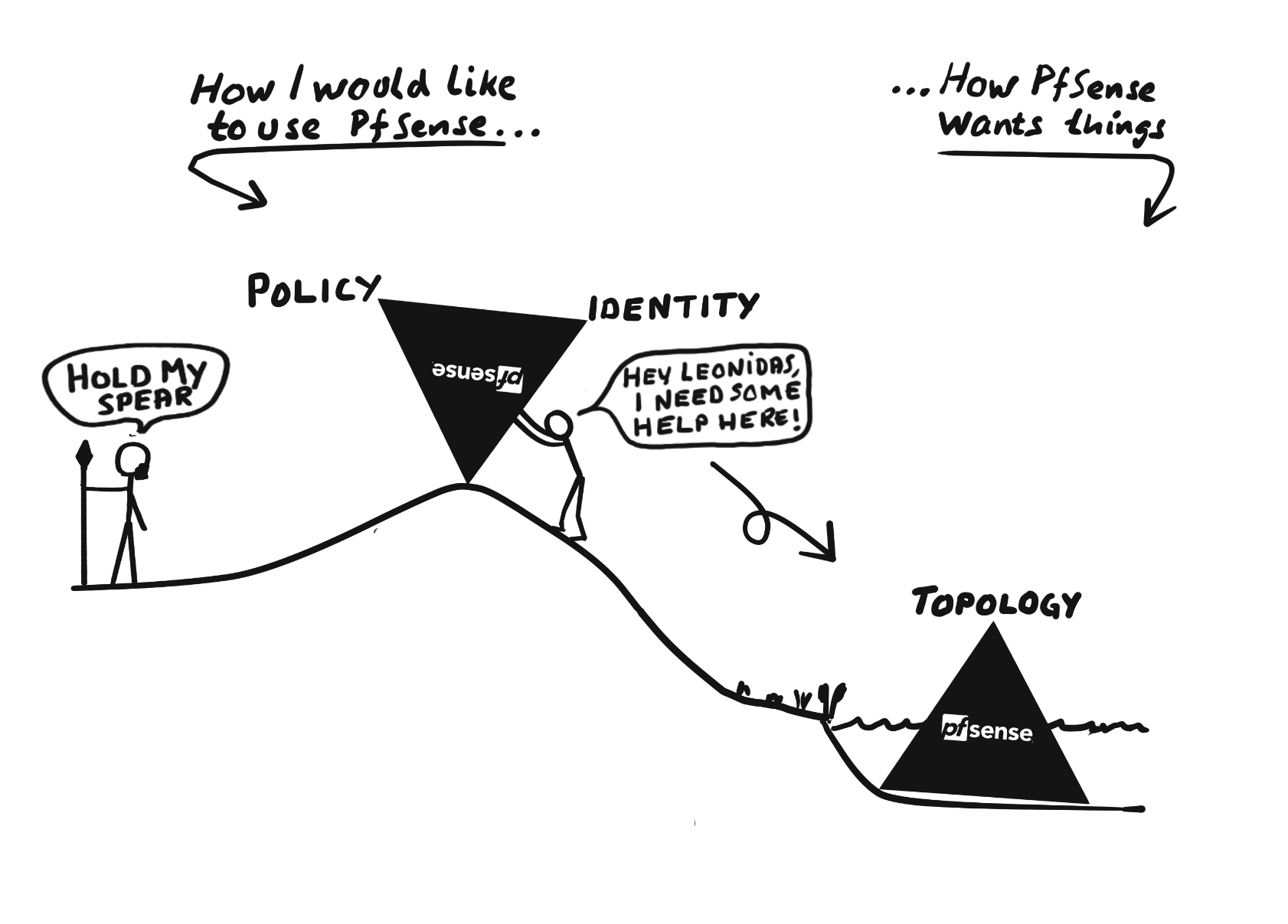
Turns out pfSense had another point of view. And that we must think very carefully about the trinity of Identity, Policy, and Topology. Because pfSense will happily gravitate to a topology first approach.
My setup
- Router: Netgate 6100 (pfSense+)
- WiFi: Ubiquiti wireless access point
- NAS: Synology (running a handful of Virtual Machines)
- Half a dozen physical computers (many over Wi-Fi)
- Local AI server
- A legacy music system using UPnP
Note that I do not use a switch. This is what makes micro-segmentation possible without having to configure VLANs for everything. More on this later.
The Design
Identity
For the purpose of this article, identity means an IPv4 address used in policy, associated with a device through a static DHCP mapping.
On each client-facing interface, the DHCP server of the router maps the device’s MAC address to its intended IP address. The same approach is used for physical as well as virtual interfaces (VLANs). Note that this provides consistent addressing, but not authentication.
To protect against impersonation, we must use topology (i.e. which devices connect through which interfaces) and firewall rules.
Policy
Policy membership is implemented with nested aliases on three levels:
- Device
- Group
- Policy
Where the policy level is used in the firewall rules. This makes the rules readable and easy to understand.
| Alias name | Values | Description |
|---|---|---|
| DEV_NAS | 192.168.1.10 | |
| DEV_MUSIC_PLAYER | 192.168.1.20 | |
| DEV_IPHONE_1 | 192.168.1.30 | |
| DEV_IPHONE_2 | 192.168.10.40 | |
| DEV_PC_NAME1 | 192.168.2.50 | |
| DEV_VM_SYSLOG | 192.168.20.60 | |
| DEV_VM_SIEM | 192.168.20.70 | |
| GRP_PHONES | DEV_IPHONE_1, DEV_IPHONE_2 | |
| POL_INTERNET | GRP_PHONES, DEV_PC_NAME1 | Allow unlimited access to the internet |
| POL_MUSIC_SYSTEM | DEV_NAS, DEV_MUSIC_PLAYER, DEV_IPHONE_1 | Allowed to engage in music playback |
| POL_SYSLOG | DEV_NAS, DEV_PC_NAME1 … | Allowed to send syslog |
| POL_UPDATE | DEV_NAS, DEV_VM_SYSLOG, DEV_VM_SIEM | Allow limited access to internet for update only. Limited ports and IP addresses |
A few notes:
- A policy alias can contain both groups and individual devices
- All device networks use /24 prefixes, so the first three octets identify the subnet
- If the third octet of the IP address is single digit (192.168.2.x) it indicates a physical interface while a double digit (192.168.20.x) indicates a VLAN
- Using distinct host ID across different subnets helps if topology needs refactoring
In the firewall, policy is implemented as a set of allow (pass) rules between two sets of security rules (block).
| Inter- faces | Protocol | Source | Destination | Port | Description | |
|---|---|---|---|---|---|---|
| Block | … | … | … | … | … | Rules for security (discussed later) |
| Pass | Any | IPv4 TCP / UDP | HOME_SUBNETS | This firewall (self) | 53 | Allow DNS |
| Pass | Any | IPv4 UDP | HOME_SUBNETS | This firewall (self) | 123 | Allowed NTP |
| Pass | Any | IPv4 UDP | POL_SYSLOG | DEV_VM_SYSLOG | 514 | Devices allowed to send syslog |
| Pass | Any | IPv4 TCP / UDP | POL_MUSIC_ SYSTEM | POL_MUSIC_ SYSTEM | MUSIC_CTRL | Allowed to engage in music playback |
| Pass | Any | IPv4 TCP / UDP | POL_UPDATE | UPDATE_DEST | 123, 443 | Allow limited internet access for update |
| Pass | Any | IPv4 TCP / UDP | POL_INTERNET | !RFC1918_NETS | * | Allow full internet access |
| Block | … | … | … | … | … | Rules for security (discussed later) |
In my home setup I end up with less than 20 rules in the allow (pass) section. More importantly, the complete communication policy still fits on a single page. I can read it, understand it, and see the overall design.
Topology
The topology must support both identity and policy. For this, two things are required:
- Devices that need to be separated from each other must be placed on different routed interfaces or VLANs (to enforce identity)
- Traffic between devices that needs to be separated must cross the firewall (to enforce policy)
Fortunately, for separate routed interfaces and VLANs, 1) also gives us 2): traffic between them must cross pfSense.
In my setup there are four distinct scenarios:
- Physical devices that connect directly to the router. One device for one interface.
- Virtual machines that connect through VLANs. Here I use the virtual switch in the NAS to configure VLAN tags for the VMs.
- The Wi-Fi access point is configured with different virtual access points where each SSID is mapped to a different VLAN.
- For the legacy music system I use a bridge across a number of interfaces. The bridge forms one logical Layer-2 segment, acting much like a switch. Traffic can still be filtered by pfSense, but devices within the bridge no longer get strong identity separation from topology.
Note that not all VMs get an individual VLAN. For example the syslog collector and Elastic server (a simple SIEM) live on the same VLAN as they are both part of the same function. This is why there is no firewall rule between the collector and the SIEM: the communication between them stays in the virtual switch and is not subject to the router’s firewall.
Effectively, I trust these three components to preserve the segmentation:
- pfSense, for routing and firewall enforcement
- the NAS virtual switch, for VM VLAN assignment
- the Wi-Fi AP, for wireless VLAN assignment
Plus the computer I use to administer the other three.
A compromise or misconfiguration of any of these could weaken or bypass the segmentation.
Why it works and what must be true
There are a number of things that must be configured correctly for the design to work as intended. Most of these are expressed in the firewall rules, either in the top or bottom set of security rules.
Using Floating Rules
The design uses floating rules exclusively. This keeps the complete ruleset on a single page, which makes it easier to review as one policy. To make evaluation predictable, all rules are defined as:
- Inbound
- Quick
Security Rules - Top set
Before evaluating the communication policy, I use a small set of security rules to establish the assumptions the design depends on. These rules are placed above the policy rules.
No IPv6
The design is based on IPv4. Rather than accidentally leaving an unsegmented IPv6 path, I disable the allow IPv6 option under System → Advanced → Networking. I also add an explicit rule to clarify intent and reduce cognitive load for myself.
| Inter- faces | Protocol | Source | Destination | Port | Description | |
|---|---|---|---|---|---|---|
| Block | Any | IPv6 | * | * | * | Block anything IPv6 |
Explicitly block unsolicited inbound traffic from WAN
Even though pfSense blocks inbound WAN traffic by default, I add an explicit rule - again to clarify intent and reduce my cognitive load.
| Inter- faces | Protocol | Source | Destination | Port | Description | |
|---|---|---|---|---|---|---|
| Block | WAN | IPv4 | * | * | * | Block anything initiating from WAN |
Protect against spoofing of IP addresses across subnets
To support micro-segmentation we need a sufficiently trustworthy identity, because if a device can impersonate another identity it may inherit that device’s privileges.
A device can choose its own MAC address and source IP address. The design therefore cannot trust the address merely because DHCP assigned it. For each routed client interface, I explicitly block packets whose source address does not belong to the subnet permitted on that interface.
This effectively locks the device to the address range permitted on its interface. If that interface serves only one device, the topology gives us a much stronger identity boundary.
| Inter- faces | Protocol | Source | Destination | Port | Description | |
|---|---|---|---|---|---|---|
| Block | LAN1 | IPv4 | !LAN1 subnets | * | * | Anti spoofing |
| Block | LAN2 | IPv4 | !LAN2 subnets | * | * | Anti spoofing |
| Block | LAN3 | IPv4 | !LAN3 subnets | * | * | Anti spoofing |
| Block | VLAN10 | IPv4 | !VLAN10 subnets | * | * | Anti spoofing |
| Block | VLAN20 | IPv4 | !VLAN20 subnets | * | * | Anti spoofing |
Note that this restricts devices to their assigned subnets, not to individual DHCP addresses. Addresses within the same subnet must therefore be considered interchangeable from a security perspective.
These rules should have logging enabled. A match indicates either a misconfiguration or a possible attempt at IP spoofing. Both are worth investigating.
Unfortunately, this adds some unavoidable topology-specific bulk to the top of the ruleset. The important part is that it remains isolated from the policy rules below, so the policy itself stays readable.
When adding a new interface, remember to add its source-address restriction before enabling the corresponding policy permissions.
Explicitly enable management
Managing should only be allowed through dedicated interfaces, to reduce the risk of a compromise.
| Inter- faces | Protocol | Source | Destination | Port | Description | |
|---|---|---|---|---|---|---|
| Pass | LAN1 | IPv4 | POL_MGMT | This Firewall (self) | MGMT_ ROUTER | Allow management of pfSense from only this interface |
| Pass | LAN1 | IPv4 | POL_MGMT | DEV_NAS | MGMT_ NAS | Allow management of NAS from only this interface |
| Block | Any | IPv4 TCP / UDP | * | This Firewall (self) | MGMT_ ROUTER | Prevent re-enabling mgmt below |
| Block | Any | IPv4 TCP / UDP | * | DEV_NAS | MGMT_ NAS | Prevent re-enabling mgmt below |
My personal preference is to disable the anti-lockout option in pfSense and have an explicit rule, leaving one place to look.
Security Rules - Bottom set
The bottom security rule set has one main purpose: block everything not explicitly allowed by the policy rules above.
| Inter- faces | Protocol | Source | Destination | Port | Description | |
|---|---|---|---|---|---|---|
| Block | Any | IPv4 | POL_NO_LOGGING_ ON_BLOCK | * | * | Silence chatty logs |
| Block | Any | IPv4 | !127.0.0.1 | !127.0.0.1 | * | Block (and log) everything not explicitly allowed above |
The first rule suppresses logging for known noisy traffic that is already intentionally blocked.
Logging should be enabled on the final catch-all rule. Any match means traffic occurred that was not accounted for by the policy rules above. These logs are useful both during tuning and for later monitoring.
Note: do not accidentally block pfSense itself
There is one wrinkle when using floating rules on Any: Any also includes the loopback interface (lo0). pfSense uses loopback internally; for example, by default the firewall itself uses the DNS resolver at 127.0.0.1. Although pfSense generates rules to allow loopback traffic, these IPv4 rules are not quick, so a later user-defined quick catch-all block can override them. The catch-all policy block should therefore either exclude loopback traffic or, preferably, only apply to the network interfaces covered by the policy.
In this example I have baked the necessary exception for loopback into the blocking rule itself. This is more permissive than strictly necessary. On the other hand, it saves screen space and is easy to live with, as new interfaces are automatically included in the catch-all rule.
HOME_SUBNETS and RFC1918_NETS
HOME_SUBNETS contains the subnets assigned to my internal interfaces, whereas RFC1918_NETS contains all private IPv4 address ranges.
I define the alias RFC1918_NETS as:
- 192.168.0.0 / 16
- 172.16.0.0 / 12
- 10.0.0.0 / 8
These are the private IPv4 address ranges (RFC 1918). By excluding RFC1918_NETS as a destination in the Internet access rules, I prevent devices from using those permissions to access other private networks, including networks outside my own setup.
Note that this does not strictly limit traffic to the public Internet; other reserved address ranges and the firewall’s own addresses may need separate consideration.
The Bridge and legacy music system
The bridge acts much like a switch with several interfaces for the same subnet.
For this design, filtering is performed on the logical bridge interface rather than on its individual member interfaces. This requires the following two tunables:
| Tunable name | Description | Value |
|---|---|---|
| net.link.bridge.pfil_member | Packet filter on the member interface | 0 |
| net.link.bridge.pfil_bridge | Packet filter on the bridge interface | 1 |
Devices sharing the bridge can impersonate each other’s IP addresses. However, firewall filtering still limits which services (ports) can be reached from within the subnet of the bridge. In particular, access to the NAS management interface on ports 5000–5001 is not permitted, and management is done from an interface (LAN1) outside the bridge itself.
The reason for the bridge is to cater for a legacy music system that uses UPnP.
It is important to distinguish between UPnP discovery and control, used by my music system, and UPnP IGD/PCP, which can allow devices to request dynamic port mappings on the router. The latter is known for its security issues and I recommend to keep it disabled.
Also, to keep the rule set manageable I include 239.255.255.250 in POL_MUSIC_SYSTEM and 1900 as well as 80 and 49152:65535 in the MUSIC_CTRL port alias. This makes the rule less restrictive than strictly necessary and leaves other services within that range reachable. But I consider these devices reasonably trustworthy. And for me, the additional risk is acceptable.
Firewall States
Since the design relies on interface boundaries to constrain identity, firewall states should also respect those boundaries. I use interface-bound states rather than floating states, so packets matching an existing connection cannot simply arrive through another interface.
Verify your setting of the State Policy option under System > Advanced on the Firewall & NAT tab.
Completing the firewall rules
For the example given here, the rule set becomes:
| Inter- faces | Protocol | Source | Destination | Port | Description | |
|---|---|---|---|---|---|---|
| Block | Any | IPv6 | * | * | * | Block anything IPv6 |
| Block | WAN | IPv4 | * | * | * | Block anything initiating from WAN |
| Block | LAN1 | IPv4 | !LAN1 subnets | * | * | Anti spoofing |
| Block | LAN2 | IPv4 | !LAN2 subnets | * | * | Anti spoofing |
| Block | LAN3 | IPv4 | !LAN3 subnets | * | * | Anti spoofing |
| Block | VLAN10 | IPv4 | !VLAN10 subnets | * | * | Anti spoofing |
| Block | VLAN20 | IPv4 | !VLAN20 subnets | * | * | Anti spoofing |
| Block | MUSIC_ BRIDGE | IPv4 | !MUSIC_BRIDGE subnets | * | * | Anti spoofing |
| Pass | LAN1 | IPv4 | POL_MGMT | This Firewall (self) | MGMT_ ROUTER | Allow management of pfSense from only this interface |
| Pass | LAN1 | IPv4 | POL_MGMT | DEV_NAS | MGMT_ NAS | Allow management of NAS from only this interface |
| Block | Any | IPv4 TCP / UDP | * | This Firewall (self) | MGMT_ ROUTER | Prevent re-enabling mgmt below |
| Block | Any | IPv4 TCP / UDP | * | DEV_NAS | MGMT_ NAS | Prevent re-enabling mgmt below |
| Pass | Any | IPv4 TCP / UDP | HOME_SUBNETS | This firewall (self) | 53 | Allow DNS |
| Pass | Any | IPv4 UDP | HOME_SUBNETS | This firewall (self) | 123 | Allowed NTP |
| Pass | Any | IPv4 UDP | POL_SYSLOG | DEV_VM_SYSLOG | 514 | Devices allowed to send syslog |
| Pass | Any | IPv4 TCP / UDP | POL_MUSIC_ SYSTEM | POL_MUSIC_ SYSTEM | MUSIC_ CTRL | Allowed to engage in music playback |
| Pass | Any | IPv4 TCP / UDP | POL_UPDATE | UPDATE_DEST | 123, 443 | Allow limited internet access for update |
| Pass | Any | IPv4 TCP / UDP | POL_INTERNET | !RFC1918_NETS | * | Allow full internet access |
| Block | Any | IPv4 | POL_NO_LOGGING_ ON_BLOCK | * | * | Silence chatty logs |
| Block | Any | IPv4 | !127.0.0.1 | !127.0.0.1 | * | Block (and log) everything not explicitly allowed above |
The exact rules will depend on which services your network needs. My goal is to keep the ruleset small enough that the complete policy can still be understood at a glance. Having all rules in one place helps enormously. Since misconfiguration is probably one of the more likely ways to weaken the segmentation, readability is not just a convenience. It is a security feature.
Verifying the Design
To verify the design, we need to perform a few targeted checks. I use two approaches:
- Inspecting the rules that pfSense generates for the underlying packet filter (PF), particularly those related to NAT.
- Testing that the anti-spoofing rules behave as intended and generate the expected logs.
This is not a penetration test, nor is the goal to verify the full functionality of pfSense. But we do need to establish that the assumptions our design depends on hold in practice.
Fortunately, this requires only a few targeted tests. For the anti-spoofing rules, we can use a single temporary, narrowly scoped pass rule to isolate the behaviour we want to verify and a simple test program for sending and receiving traffic.
Inspecting the Generated Rules
pfSense translates its configuration into rules for the underlying packet filter (PF). In addition to our floating rules, pfSense generates automatic firewall and NAT rules.
Some of these are evaluated before our floating rules, potentially allowing traffic that our policy would otherwise block. We therefore need to inspect the effective ruleset, paying particular attention to NAT and automatically generated permissions.
From the pfSense shell, run:
| Command | Explanation |
|---|---|
pfctl -sr | Show the effective firewall rules |
pfctl -sn | Show the effective NAT rules |
pfSsh.php playback pfanchordrill | Show additional rules in PF anchors |
We are particularly interested in:
- Unexpected pass rules: Check for automatically generated permissions that could bypass our floating rules.
- NAT port forwards: Look for unexpected redirects, particularly rdr pass, which can permit traffic without a separate firewall pass rule.
- Dynamic rules: Check for rules created by services or packages, such as UPnP IGD/PCP.
Ordinary outbound NAT rules are expected, since they allow our internal devices to share the WAN address. They do not, by themselves, grant permission to initiate connections.
The goal is not to audit every internal rule generated by pfSense, but to establish that no unexpected permissions undermine our segmentation policy.
See also the Netgate documentation: Ordering of NAT and Firewall Processing
Test Cases for Anti-Spoofing
Preparation
The tests require two devices on different network segments: a sender and a receiver. A small test program repeatedly sends UDP packets to the receiver, for some tests using a spoofed source IP address.
To isolate the anti-spoofing mechanism from the ordinary communication policy, add a temporary floating pass rule immediately after the anti-spoofing rules but before the normal policy rules:
| Setting | Value |
|---|---|
| Action | Pass |
| Interface | Sender’s interface |
| Direction | In |
| Quick | Enabled |
| Protocol | IPv4 UDP |
| Source | Any |
| Destination | Receiver’s IP address |
| Destination port | 39000 |
| Logging | Disabled |
This allows test packets to reach the receiver, provided they have not already been blocked by the anti-spoofing rules.
Before testing:
- Make sure logging is enabled on the anti-spoofing rule(s).
- Compile the test program. It is available as a downloadable C source file
.
cc -std=c11 -O2 -Wall -Wextra -pedantic spooftest.c -o spooftest
- Start the receiver, listening on UDP port 39000. Ensure its
local firewall permits the traffic.
./spooftest receive
- Open the pfSense firewall logs and rule counters to observe the results.
The sender, when started, will repeatedly send traffic using a new UDP source port for each packet to avoid reusing existing firewall states.
Make sure the temporary pass rule is reached by the test traffic and that no existing firewall states interfere with the tests.
Test Case 1: Normal Communication
Action
Using the test program, send UDP packets using the sender’s assigned IP address.
./spooftest send <destination-ip>
Expected results
- Packets arrive at the receiver.
- The temporary pass rule’s counters increase.
- The anti-spoofing rule’s packet counters do not increase due to the test traffic.
- No firewall logs are generated for the test traffic.
This also establishes that the test tool and network path work correctly.
Test Case 2: Cross-subnet IP spoofing
Action
Using the test program, send UDP packets with a forged source IP. Choose an address belonging to another configured client subnet, preferably one associated with a device that has additional permissions.
sudo ./spooftest send <destination-ip> <forged-source-ip>
Expected results
- No packets arrive at the receiver.
- The anti-spoofing rule’s packet counters increase.
- Firewall logs show the blocked packets, including their forged source addresses and ingress interface.
- The temporary pass rule’s counters do not increase due to the test traffic.
Note that a missing packet at the receiver is not sufficient evidence of successful filtering. The anti-spoofing rule’s counters and logs must confirm that the test traffic was actually blocked. If necessary, use packet capture to establish that the packets reached pfSense.
Tear Down
After testing, remove the temporary pass rule and clear any states it created. Remove test program and binary.
Repeat both tests for the different types of interfaces: physical, virtual and bridge.
Conclusions
These are the principles that made micro-segmentation on pfSense work for me. It takes careful topology design and quite a bit of discipline, but once implemented, I find it surprisingly easy to live with.
The approach has its limitations, particularly regarding device identity. But with those limitations understood and the necessary safeguards in place, I believe it provides a useful level of protection for many home networks and small offices.
Andreas Olsson